
Kheloyar KYC Verification is an important process that helps users secure their accounts and access smooth withdrawals on the platform. Completing KYC verification correctly reduces the chances of payment delays, account restrictions, and identity-related issues. Many players skip important steps or upload incorrect documents, which can lead to verification rejection. In this guide, you will learn how to complete Kheloyar KYC Verification successfully, which documents are required, common mistakes to avoid, and how long the approval process usually takes. Whether you are a new user or facing verification issues, this guide will help you complete the process without confusion.
KYC (Know Your Customer) is an identity verification process used to confirm that a user is genuine. It helps gaming platforms prevent fraud, secure transactions, and comply with verification requirements. Once your account is verified, you can enjoy smoother withdrawals and better account security.
Why Is KYC Important?
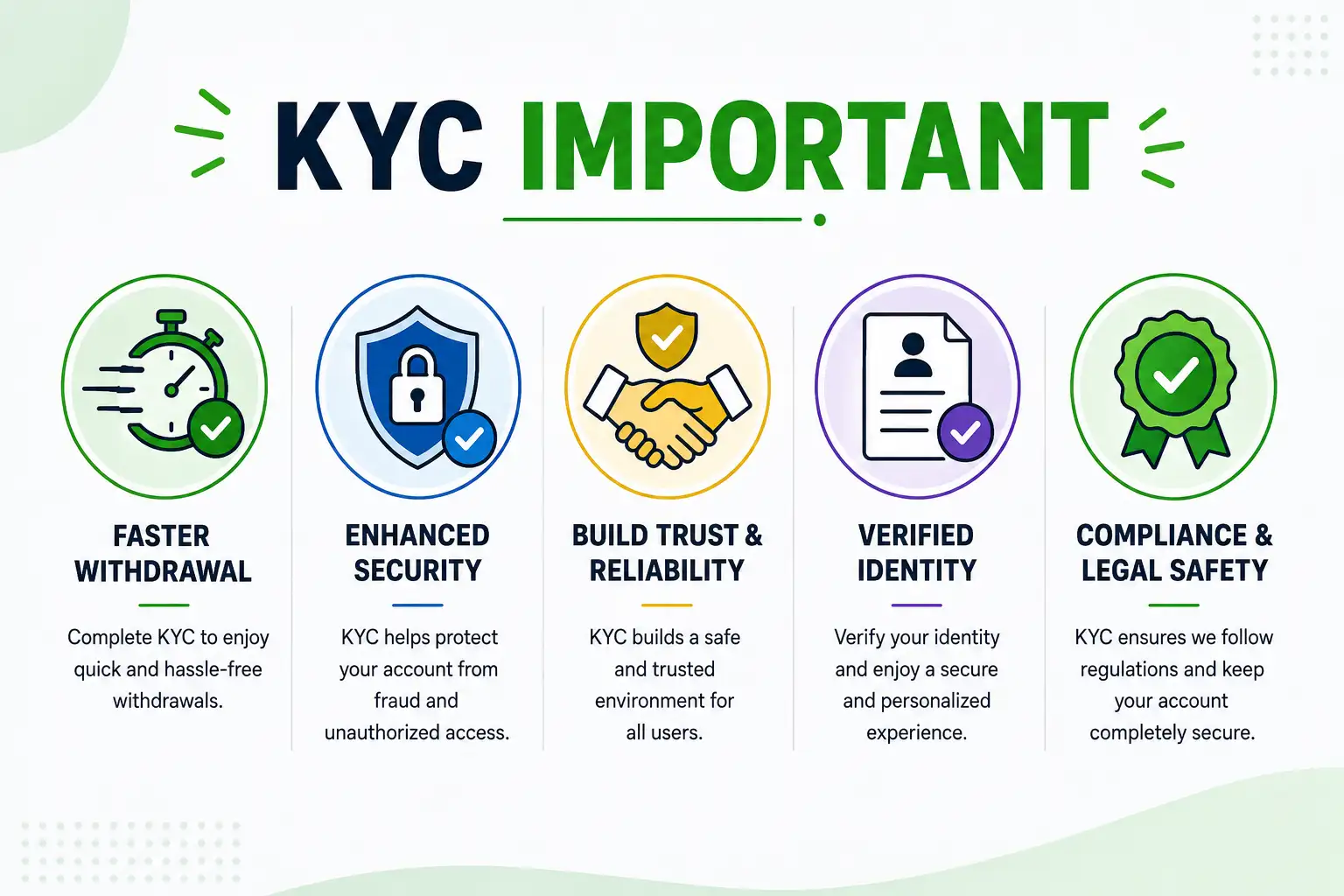
Benefits of completing verification include:
- Faster withdrawal processing
- Improved account security
- Reduced risk of account suspension
- Prevention of fraudulent activities
- Better user trust and platform safety
Step-by-Step Process to Complete KYC Verification

Step 1: Log In to Your Account
Open the Kheloyar platform and login using your registered mobile number or account credentials.
Step 2: Access the KYC Section
Navigate to the profile or account settings section and locate the verification option.
Step 3: Submit Personal Details
Enter accurate information such as:
- Full name
- Date of birth
- Mobile number
- Address( Optional)
Ensure the details exactly match your uploaded documents.
Step 4: Upload Required Documents
Upload clear images of your identity proof and other requested documents.
Step 5: Complete Selfie Verification
Some verification processes may require a live selfie or photograph for identity confirmation.
Step 6: Submit for Review
After reviewing all details, submit the application for verification.
Note: If you haven’t registered your account yet, you’ll need to do that first before completing KYC. Register your Kheloyar account here to get started.
Documents Required for KYC Verification
Before starting the verification process, keep the following documents ready.
| Document Type | Accepted Documents |
| Identity Proof | Aadhaar Card, PAN Card, Passport, Voter ID (Only 1) |
| Address Proof | Aadhaar Card, Utility Bill, Passport (Only 1) |
| Bank Verification | Passbook, Cancelled Cheque, Bank Statement (Only 1) |
| Selfie Verification | Recent Clear Photograph |
Tips Before Uploading Documents
- Ensure all details are clearly visible.
- Upload high-quality images.
- Avoid blurry or cropped photos.
- Use documents that match your registered information.
Common Reasons for KYC Rejection

Many users face verification issues because of avoidable mistakes.
Incorrect Information
Details entered during verification do not match official documents.
Blurry Document Images
Low-quality uploads make it difficult for verification teams to review documents.
Expired Documents
Expired IDs may not be accepted during verification.
Mismatched Bank Details
Bank account information should match the registered user information.
Real-World Example

Suppose a user named Rahul Kumar registers using his official name but uploads a bank account document containing a different spelling. The verification team may reject the request because the information does not match.
After updating the correct details and re-uploading clear documents, Rahul successfully completed the verification process and received withdrawal approvals without delays.
This example highlights the importance of providing accurate information.
How Long Does Kheloyar KYC Verification Take?
Verification times can vary depending on document quality and review workload.
| Verification Stage | Estimated Time |
| Document Submission | 5–10 Minutes |
| Verification Review | Few Hours to 48 Hours |
| Approval Notification | Immediately After Approval |
Best Practices for Faster Verification
Use Original Documents
Avoid edited or digitally modified documents.
Check Information Carefully
Review all entered details before submission.
Upload High-Resolution Images
Clear documents improve approval speed.
Verify Bank Information
Make sure bank details belong to the same account holder.
Signs Your Verification Is Successful
You may notice:
- Verification status marked as approved
- Successful withdrawal requests
- Reduced account restrictions
- Account security confirmation notifications
Final thought
Completing Kheloyar KYC Verification successfully is a straightforward process when you provide accurate information and clear documents. Most verification delays occur because of simple mistakes such as mismatched details or poor-quality uploads. By preparing the correct documents, reviewing your information carefully, and following the verification steps outlined above, you can complete the process smoothly. A verified account not only improves security but also helps ensure faster withdrawals and a better overall gaming experience, making it an essential step for every active user.
Frequently Asked Questions (FAQ)
What is Kheloyar KYC Verification ?
It is an identity verification process that confirms a user’s identity and helps secure transactions on the platform.
Is KYC verification mandatory?
In most cases, verification is required for withdrawals and account security purposes.
Which documents are accepted?
Commonly accepted documents include Aadhaar Card, PAN Card, Passport, Voter ID, and bank verification documents.
Why was my verification rejected?
Common reasons include blurry images, incorrect details, expired documents, or mismatched information.
How long does verification take?
The review process usually takes a few hours to 48 hours, depending on document quality and verification workload.
Can I resubmit documents after rejection?
Yes, you can resubmit documents after correcting the errors. There is no fixed limit on resubmissions, but each new submission goes through the same review process (few hours to 48 hours).
Is my personal information safe during verification?
Yes, documents are used only for identity verification and are not shared with third parties. Uploaded data is stored securely and accessed only for KYC processing purposes.
What happens if I don’t complete KYC?
Without KYC verification, you may not be able to withdraw funds, and your account access could be limited for security reasons. Completing KYC is necessary for full account functionality.
DISCLAIMER
KYC requirements may change based on the platform’s latest policies. Always check the official Kheloyar verification section for the most accurate and updated information.


